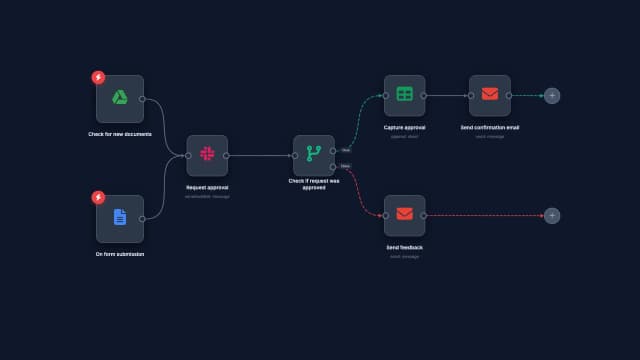
Flowchart Animation Templates
Animated flowcharts and process diagrams you can edit step by step. Update labels, colors, and order with AI, then export a workflow video for teams or customers.
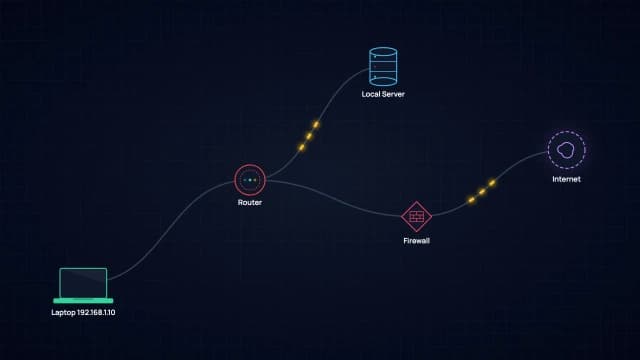
Network Data Flow Visualization
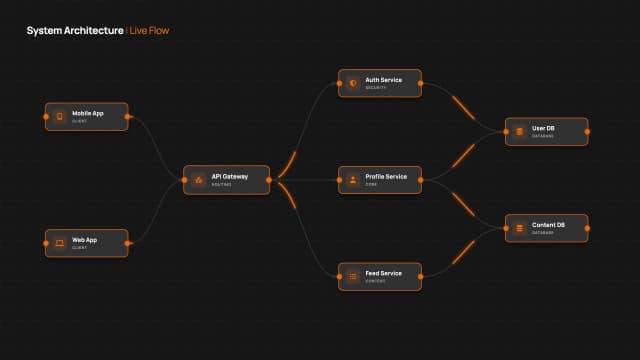
System Architecture Flow
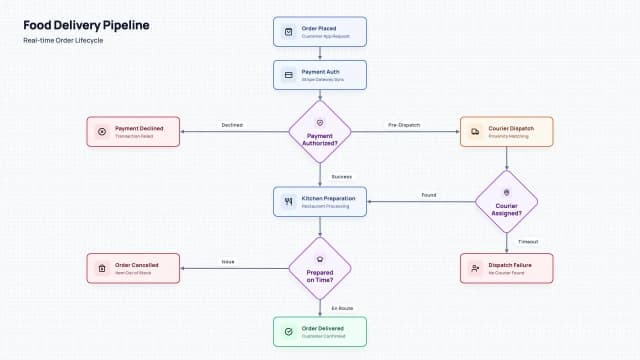
Food Delivery Order Flowchart
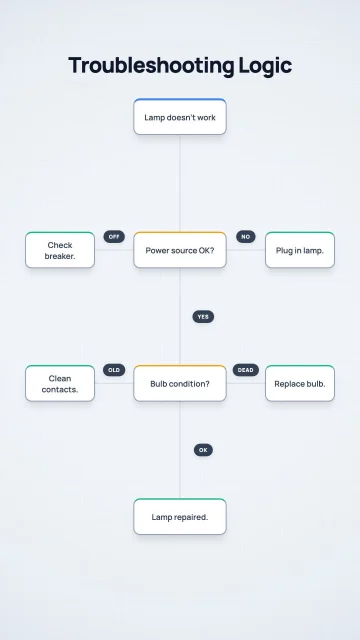
Decision Tree Troubleshooting Flowchart
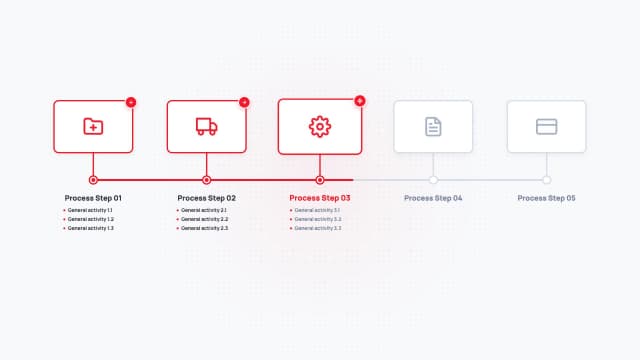
Sequential Process Flow
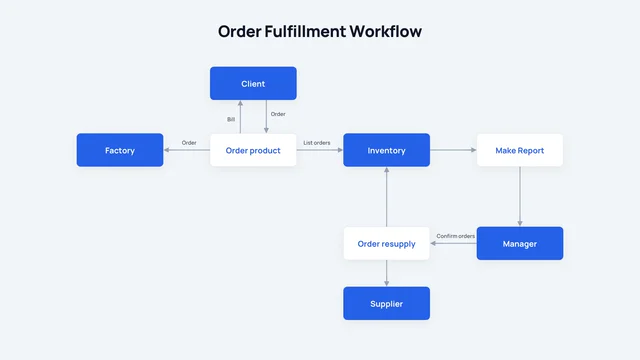
Order Fulfillment Workflow Chart
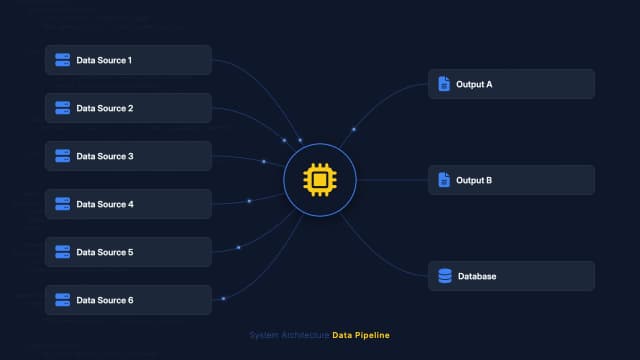
Data Pipeline Architecture Flow
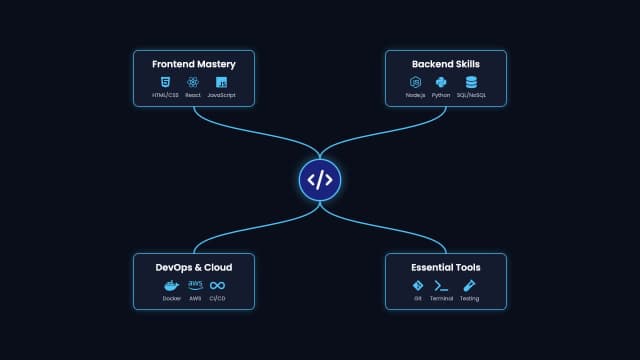
Web Development Roadmap Flowchart
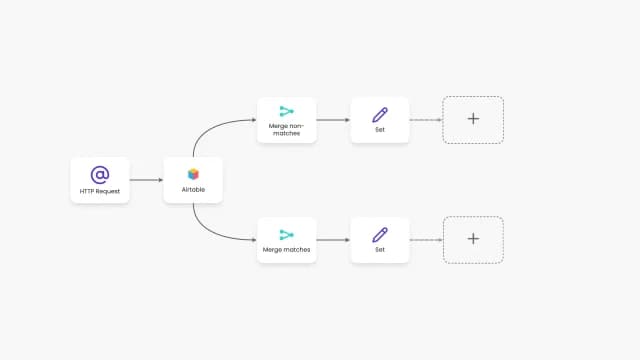
Database Sync Integration Workflow
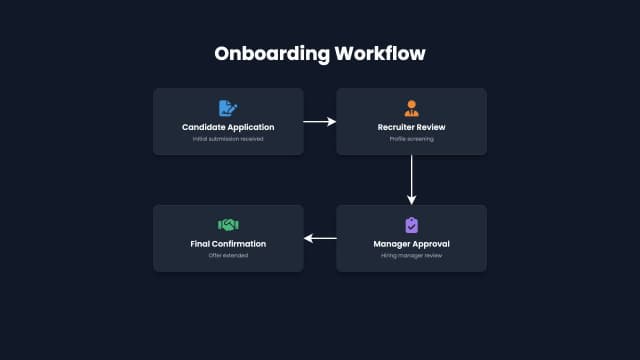
Workflow Automation Process Chart
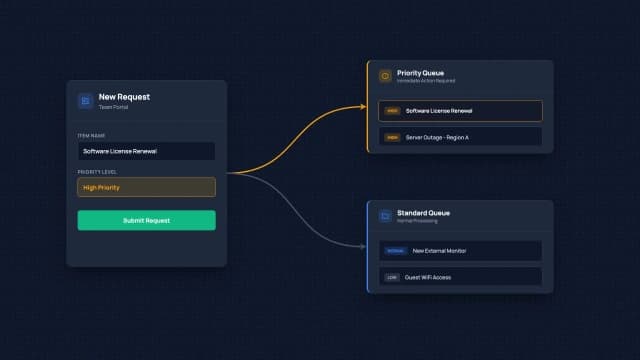
Request Priority Routing Flowchart
How to customise a motion template
Pick one, change it by chatting, export the video. No timeline and no motion design experience needed.
1
Pick a template
Browse maps, charts, titles, explainers, social ads, chat UI, search bars, and quizzes.
2
Change it by chatting
Open it in Easymotion and change the text, colors, timing, layout, logos, and images by asking. Fix text and colors directly in the Edit Panel when it is a quick swap.
3
Export the video
Download it for YouTube, TikTok, Reels, ads, presentations, or your editor.
Common questions
Quick answers about AI motion templates in Easymotion.
They are finished motion graphics you can change by chatting. Open one, ask for different text, colors, timing, or layout, and export the result. You are editing a real animation rather than filling in slots on a fixed template.
Yes. You can edit templates and make videos for free, no credit card required. Creating animations from scratch with your own prompts requires a paid plan.
No. Everything runs in the browser. No plugins, no keyframes, no timeline. Pick a template, describe the changes, export when it looks right.
Maps and route animations, charts and graphs, titles and lower thirds, chat and messaging UI, Google search animations, quiz and trivia videos, follow and subscribe buttons, UI and device mockups, explainers, and social ads.
Use motion templates for social posts, ads, demos, explainers, presentations, courses, reports, YouTube, and client work. Start with a rendered map, chart, lower third, search UI, or notification and customize it in chat.
Yes. Export MP4 for social and web, transparent MOV when the clip has to sit over footage in your editor, or GIF for a short loop in an email or a doc. 30 or 60 fps, up to 4K. GIF stays at Full HD and 30 fps. All in 16:9, 9:16, 1:1, and 4:5, so the same template covers a landscape YouTube cut and a vertical Reel.
Yes. Ask for colors by hex code, upload your logo and images with Add Images & Logo, attach a vector logo with Add SVG, or save it all to a brand kit so every project starts on brand.
Yes on paid plans. Creations made under an active Basic, Plus, or Pro subscription are licensed for personal and commercial use in your own projects, including ads, marketing, business content, and client deliverables. Free-plan exports are personal use only. Full detail is in the terms of service.