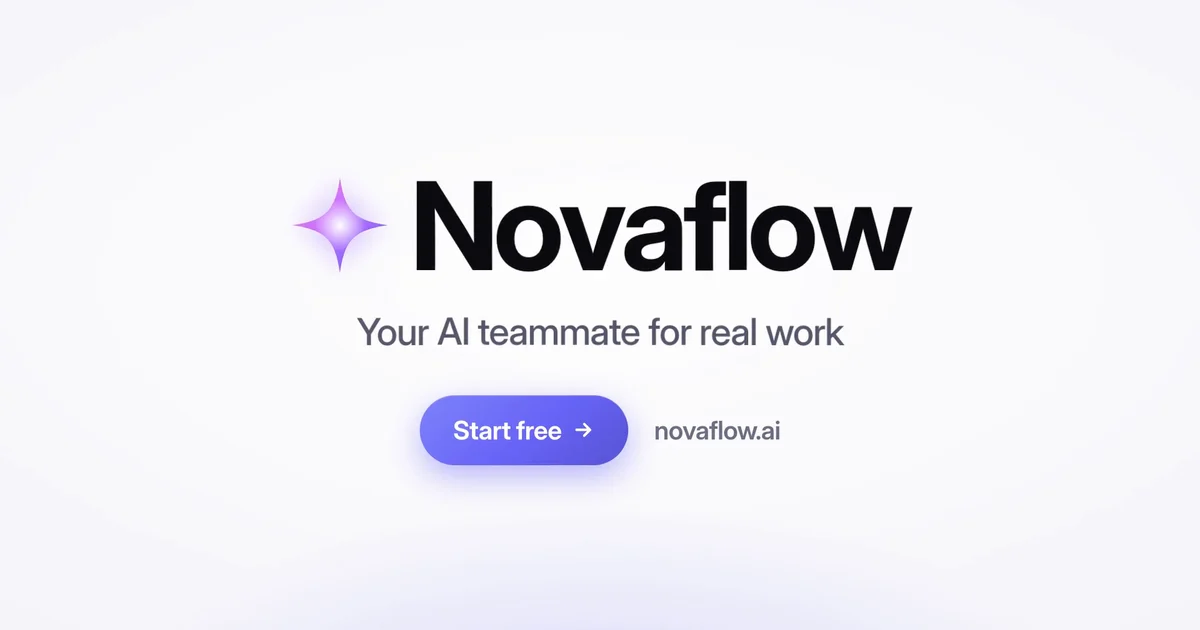
I used to spend 1-3 days in Adobe After Effects on one product film. Each line, the phone, and the end card needed its own keyframes. You can now generate that same SaaS animation with AI motion graphics tools.
How to Create a SaaS Animation with Easymotion
With Easymotion, you can skip the timeline entirely. You do not have to keyframe every line of the product film by hand. Here is exactly how to generate your SaaS animation.
1Open the Studio
First, navigate to Easymotion in your web browser and click the "Start Creating" button. You will be prompted to log in or sign up for a free account. Once logged in, you will enter the main studio interface.
2Enter Your Prompt
You have two options to create your SaaS product animation. You can browse the template library to find a pre-made SaaS style, or you can describe what you want in the prompt box.
easymotion.io
AI Motion Graphics Generator
Describe your motion graphics idea. Add a design reference if you'd like it to be recreated.
Read https://novaflow.ai and take the product from that page. Create a SaaS animation for Novaflow. Open on a black screen with the word Emails, then Meet Novaflow with a purple star. Show a prompt bar that reads Summarize this week's customer call, then the words Ask and Faster. Add a row titled Automate the work around the work, with New ticket, AI triage, Assign owner, and Resolved. Show the line Your teammate, in your pocket beside a phone that says Draft a reply to the Acme renewal email and Hi Sarah, thanks for the update. Then show Private by default. Enterprise-ready. End on Novaflow, Your AI teammate for real work, a Start free button, and novaflow.ai.
16:9
Image to Animation
Data to Animation
Map Animation
A Novaflow promo that opens on Emails and ends on Your AI teammate for real work, a Start free button, and novaflow.ai.
Tip
Paste your SaaS website URL in the prompt as a full https:// link, so Easymotion can read the page. Save your brand fonts, colors, and logo in a Brand Kit, and pick the kit before you send.
3Customize Using AI Chat
Once your base animation generates, you can adjust the details using the AI chat panel located on the left side of the screen. Just type commands directly into the chat.
Make it a light job search app called Platform. Open with The job search. in black and Simplified. in blue. A cursor clicks a blue Search button on a bar that reads Search for opportunities.... Show four cards: Senior Role, Company Alpha, Location; Lead Designer, Company Beta, Remote; Developer, Company Gamma, Hybrid; and Visual Artist, Company Delta, Office. The cursor clicks Auto-Apply to All (4), the cards change to Application Sent, and the end card reads Platform with the line Your career, automated.
16:9
A light job search app titled The job search. Simplified., with four role cards and an Auto-Apply to All (4) button.
4Export Your Animation
When you are happy with the result, click the Export button in the top right corner and select the MP4 format for a standard video file. To overlay this SaaS animation onto another video, make the background transparent first: ask the chat for a transparent background, or press the checkerboard button on the background color in Quick Edit. When the preview shows a checkerboard, export in the MOV format and drop the file into Premiere Pro or DaVinci Resolve.
Export
Output Format
MP4
MOV (Transparent)
Export
Copy-Paste Prompts for Your Animation
Paste one into the prompt box in Easymotion, then change the details to fit your video.
Prompt 1: Novaflow
Read https://novaflow.ai and take the product from that page. Create a SaaS animation for Novaflow. Open on a black screen with the word Emails, then Meet Novaflow with a purple star. Show a prompt bar that reads Summarize this week's customer call, then the words Ask and Faster. Add a row titled Automate the work around the work, with New ticket, AI triage, Assign owner, and Resolved. Show the line Your teammate, in your pocket beside a phone that says Draft a reply to the Acme renewal email and Hi Sarah, thanks for the update. Then show Private by default. Enterprise-ready. End on Novaflow, Your AI teammate for real work, a Start free button, and novaflow.ai.
Prompt 2: Light Novaflow
Read https://novaflow.ai and take the product from that page. Create a SaaS animation for Novaflow on a white background, with black type. Open on the word Emails, then Meet Novaflow with a purple star. Show a prompt bar that reads Summarize this week's customer call, then the words Ask and Faster. Add a row titled Automate the work around the work, with New ticket, AI triage, Assign owner, and Resolved. Show the line Your teammate, in your pocket beside a phone that says Draft a reply to the Acme renewal email and Hi Sarah, thanks for the update. Then show Private by default. Enterprise-ready. End on Novaflow, Your AI teammate for real work, a Start free button, and novaflow.ai.
Prompt 3: Vertical Novaflow
Read https://novaflow.ai and take the product from that page. Create a vertical 9:16 SaaS animation for Novaflow. Open on a black screen with the word Emails, then Meet Novaflow with a purple star. Show a prompt bar that reads Summarize this week's customer call, then the words Ask and Faster. Add a row titled Automate the work around the work, with New ticket, AI triage, Assign owner, and Resolved. Show the line Your teammate, in your pocket beside a phone that says Draft a reply to the Acme renewal email and Hi Sarah, thanks for the update. Then show Private by default. Enterprise-ready. End on Novaflow, Your AI teammate for real work, a Start free button, and novaflow.ai.
Adobe After Effects vs AI Motion Graphics
A SaaS demo used to mean keyframing every screen of the product by hand. Here is how that work compares to Easymotion in 2026.
Aspect
Adobe After Effects
Easymotion
Time to Create
1-3 days
5-10 minutes
Skill Required
Screen builds and cursor keyframes
No design skills needed
Cost
A Creative Cloud subscription
Plans start at $10/month (free plan for template editing)
Learning Curve
Weeks of practice
Instant text prompts
Export Options
A new render for every product
One-click MP4 or transparent MOV
Frequently Asked Questions
5-10 minutes. You type the product name and the on-screen lines into the prompt box, and Easymotion builds the screens, the phone, and the end card.
No, you do not need Adobe After Effects or any design skills. You describe the product in a prompt, then change the name and the screens in the AI chat on the left.
Yes. Name the new product and the lines you want on screen. The example changes Novaflow into Platform, with The job search. Simplified., four role cards, and Auto-Apply to All (4).
Use a MOV file with a transparent background. Ask the chat for a transparent background, or set the background color to transparent in Quick Edit, until the preview shows a checkerboard. Then export MOV and place it over your footage in Premiere Pro or DaVinci Resolve. Use MP4 for a normal video file.
No. The export is video only, with no sound. Add music in Premiere Pro or DaVinci Resolve after you export.
Written by Gokul Ramesh
Co-Founder, Easymotion
Motion designer and AI engineer building the fastest way to create professional animations. Eliminating the After Effects learning curve so you can bring ideas to life at the speed of thought.