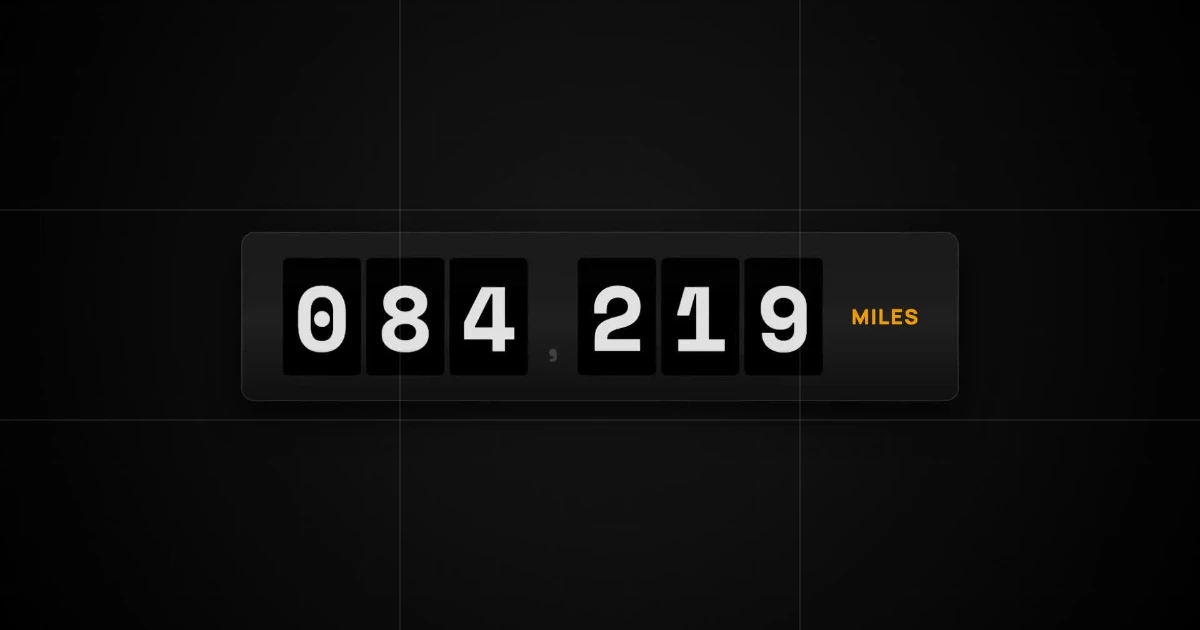
I used to spend hours manually keyframing math expressions just to get a simple number counter working in Adobe After Effects. Aligning the vertical columns and linking the slider controls was a tedious process. You can now generate that same odometer ticker with AI motion graphics tools.
How to Create an Odometer Animation with Easymotion
With Easymotion, you can skip the technical headache entirely. You do not have to touch a timeline or write any code. Here is exactly how to generate your animated numbers.
1Open the Studio
First, navigate to Easymotion in your web browser and click the "Start Creating" button. You will be prompted to log in or sign up for a free account. Once logged in, you will enter the main studio interface.
2Enter Your Prompt
You have two options to create your number counter animation. You can browse the template library to find a pre-made odometer style, or you can describe what you want in the prompt box. For example, type: "Create a dark miles odometer with white digits on black tiles, reading 084 219, and an orange MILES label."
AI Motion Graphics Generator
Describe your motion graphics idea. Add a design reference if you'd like it to be recreated.
A dark miles odometer with white digits on black tiles, reading 084 219.
To change the final number later, open Quick Edit on the preview and type a new value in Count up to. You do not need a new prompt.
3Customize Using AI Chat
Once your base animation generates, you can adjust the details using the AI chat panel located on the left side of the screen. Just type commands directly into the chat. For example, type: "Switch to white digit tiles on a light beige background, add a dollar sign, and count up to $19,740." The system updates your video automatically.
A dollar counter on white tiles and a beige background that rolls up to $19,740.
4Export Your Animation
When you are happy with the result, click the Export button in the top right corner and select the MP4 format for a standard video file. To overlay this counting effect onto another video, make the background transparent first: ask the chat for a transparent background, or press the checkerboard button on the background color in Quick Edit. When the preview shows a checkerboard, export in the MOV format and drop the file into Premiere Pro or DaVinci Resolve.
Copy-Paste Prompts for Your Animation
Paste one into the prompt box in Easymotion, then change the details to fit your video.
Prompt 1: Dark Miles Odometer
Prompt 2: Light Tile Odometer
Prompt 3: Vertical Odometer
Adobe After Effects vs AI Motion Graphics
Creating animated numbers used to be a highly technical task. Here is how the traditional method compares to using Easymotion in 2026.
| Aspect | Adobe After Effects | Easymotion |
|---|---|---|
| Time to Create | 1 to 3 hours | Under 60 seconds |
| Skill Required | Expert math expressions and keyframing | No design skills needed |
| Cost | A Creative Cloud subscription | Plans start at $10/month (free plan for template editing) |
| Learning Curve | Weeks to months | Instant text prompts |
| Export Options | Complex manual render settings | One-click MP4 or transparent MOV |