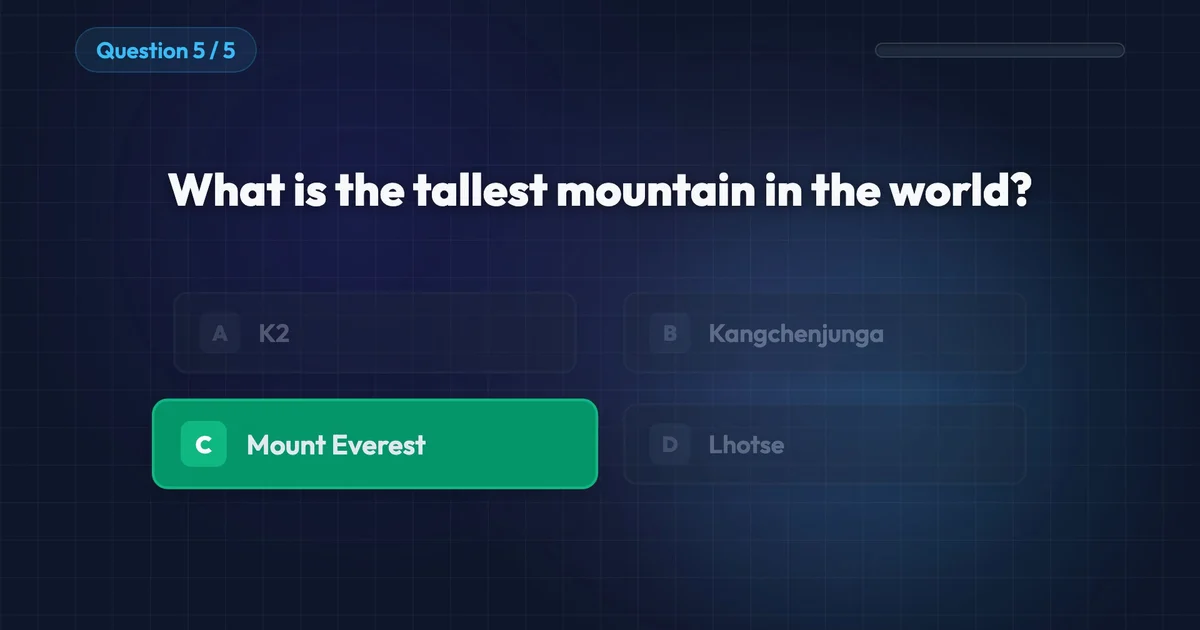
I used to build every trivia question in Adobe After Effects as its own text layer, then keyframe a timer bar and a green highlight for each answer. Five questions took me most of a morning. You can now generate that same quiz challenge with AI motion graphics tools.
How to Make a Quiz Challenge Animation with Easymotion
With Easymotion, you can skip the timeline entirely. You do not have to lay out each question or time each answer reveal. Here is exactly how to generate your quiz.
1Open the Studio
First, navigate to Easymotion in your web browser and click the "Start Creating" button. You will be prompted to log in or sign up for a free account. Once logged in, you will enter the main studio interface.
2Enter Your Prompt
You have two options to create your quiz challenge video. You can browse the template library to find a pre-made trivia style, or you can describe what you want in the prompt box. For example, type: "Create a dark General Knowledge Quiz with 5 questions in 30 seconds. Ask which planet is the Red Planet, the largest ocean, who wrote Romeo and Juliet, the chemical symbol for gold, and the tallest mountain. Show each answer in green and end on a Quiz Complete screen."
AI Motion Graphics Generator
Describe your motion graphics idea. Add a design reference if you'd like it to be recreated.
A dark General Knowledge Quiz with five questions, from the Red Planet to the tallest mountain, ending on Quiz Complete.
Keep your questions in a spreadsheet? Click the paperclip, choose Add Data (CSV/XLSX), and attach the sheet with your questions and answers. Easymotion builds the quiz from it.
3Customize Using AI Chat
Once your base animation generates, you can adjust the details using the AI chat panel located on the left side of the screen. Just type commands directly into the chat. For example, type: "Switch to a light Trivia Challenge with photo answers. Ask which ocean is the largest, the capital of France, the largest mammal, and the fastest land animal, and end on Excellent Work." The system updates your video automatically.
A light Trivia Challenge with a photo on every answer, from the largest ocean to the fastest land animal.
4Export Your Animation
When you are happy with the result, click the Export button in the top right corner and select the MP4 format for a standard video file. To overlay this quiz onto another video, make the background transparent first: ask the chat for a transparent background, or press the checkerboard button on the background color in Quick Edit. When the preview shows a checkerboard, export in the MOV format and drop the file into Premiere Pro or DaVinci Resolve.
Copy-Paste Prompts for Your Animation
Paste one into the prompt box in Easymotion, then change the details to fit your video.
Prompt 1: General Knowledge Quiz
Prompt 2: Light Quiz
Prompt 3: Vertical Quiz
Adobe After Effects vs AI Motion Graphics
A quiz used to mean one text layer and one timer for every question. Here is how that work compares to Easymotion in 2026.
| Aspect | Adobe After Effects | Easymotion |
|---|---|---|
| Time to Create | Most of a morning for five questions | Under 60 seconds |
| Skill Required | Text layers, timers, and answer reveals keyed by hand | No design skills needed |
| Cost | A Creative Cloud subscription | Plans start at $10/month (free plan for template editing) |
| Learning Curve | Weeks to time questions and reveals cleanly | Instant text prompts |
| Export Options | A manual render for each quiz | One-click MP4 or transparent MOV |