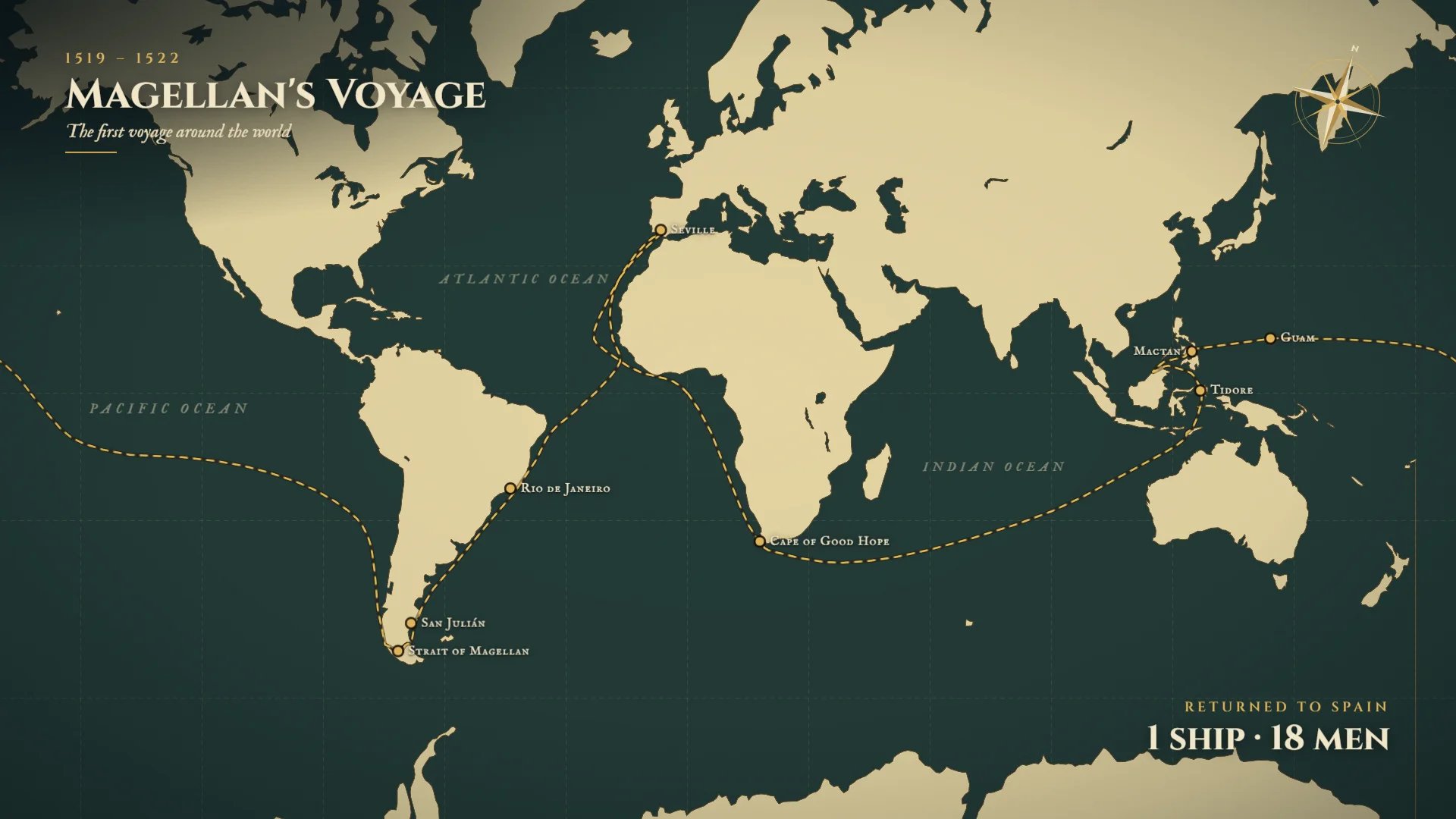
I used to draw a dashed line across a world map in Adobe After Effects and time each date card so the ship arrived on the right day. Magellan's route took me hours. You can now generate that voyage with AI motion graphics tools.
How to Create a History Map Animation with Easymotion
With Easymotion, you can skip the timeline entirely. You do not have to draw the route or write the date cards. Here is exactly how to generate your history map.
1Open the Studio
First, navigate to Easymotion in your web browser and click the "Start Creating" button. You will be prompted to log in or sign up for a free account. Once logged in, you will enter the main studio interface.
2Enter Your Prompt
You have two options to create your animation. You can browse the template library to find a pre-made style, or you can describe what you want in the prompt box. For example, type: "Create a dark green and cream map titled Magellan's Voyage, 1519 to 1522, the first voyage around the world. Start in September 1519 with five ships and about 270 men leaving Spain. Draw a dashed gold route through Rio de Janeiro, San Julian, and the Strait of Magellan. Mark that Magellan is killed at Mactan in April 1521, and end on Returned to Spain, 1 ship, 18 men."
AI Motion Graphics Generator
Describe your motion graphics idea. Add a design reference if you'd like it to be recreated.
Magellan's voyage on a dark green and cream map, from Spain in September 1519 through the Strait of Magellan, ending on 1 ship and 18 men.
3Customize Using AI Chat
Once your base animation generates, you can adjust the details using the AI chat panel located on the left side of the screen. Just type commands directly into the chat. For example, type: "Make it a vertical parchment map titled The Silk Road, 130 BC to AD 1453. Draw a gold route from Chang'an through Dunhuang, Kashgar, Samarkand, Merv, and Baghdad to Constantinople, and mark Khotan and Taxila. Caption Chang'an with Silk leaves the Han capital, and end on About 6,400 km: Silk, Spices, Paper, Glass, Ideas." The system updates your video automatically.
A vertical Silk Road from Chang'an to Constantinople, ending on about 6,400 km.
4Export Your Animation
When you are happy with the result, click the Export button in the top right corner. If you want a standard video file, select the MP4 format. If you need to overlay this map onto another video, choose the MOV format, check the Transparent option, and export. You can then drop this file directly into Premiere Pro or DaVinci Resolve.
Copy-Paste Prompts for Your Animation
Paste one into the prompt box in Easymotion, then change the details to fit your video.
Prompt 1: Magellan's Voyage
Prompt 2: Dark Satellite Voyage
Prompt 3: Vertical Magellan Map
Adobe After Effects vs AI Motion Graphics
A historical route used to be a dashed path and a stack of date cards. Here is how that job compares to Easymotion in 2026.
| Aspect | Adobe After Effects | Easymotion |
|---|---|---|
| Time to Create | A few hours for one voyage | Under 60 seconds |
| Skill Required | A hand-drawn route and timed date cards | No design skills needed |
| Cost | A Creative Cloud subscription | Plans start at $10/month (free plan for template editing) |
| Learning Curve | Weeks of practice to keep the dates and the route in sync | Instant text prompts |
| Export Options | A manual render for each map | One-click MP4 or transparent MOV |