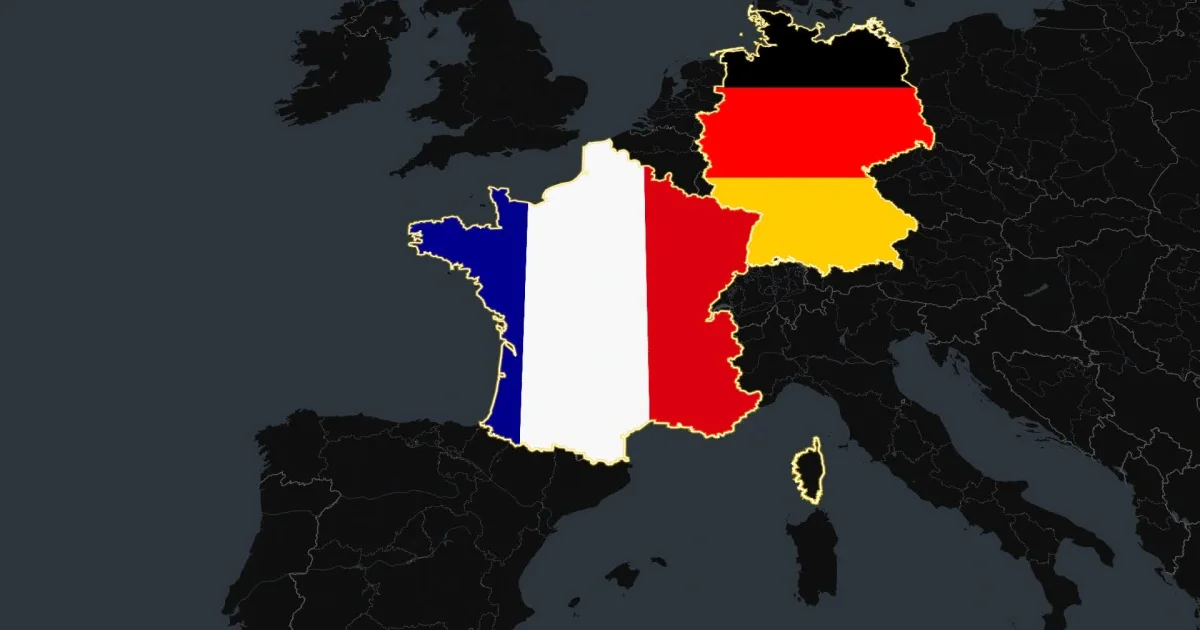
How to Create Country Fill Map Animations with AI

How to Create Country Fill Map Animations with AI

April 10, 2026·6 min read

Introduction

A country fill map animation is a dynamic motion graphic that highlights specific geographic regions, states, or countries with distinct colors on a map. These visual tools are used in YouTube documentaries, corporate presentations, and marketing campaigns to guide viewer attention to specific global data points or locations. Traditionally, creating a high-quality geography animation requires complex software like Adobe After Effects and expensive map plugins.

I used to build these manually. Highlighting just a few countries meant spending hours downloading vector maps, masking borders, and keyframing camera movements. It was a tedious process that required serious design skills. Today in 2026, you do not need to be a motion designer to create professional map visuals. New AI tools let you generate fully animated, broadcast-ready maps in seconds just by typing what you need.

Key Takeaways

  • Instant Generation: Create professional geography animations in seconds using simple text prompts.
  • No Design Skills Needed: Skip the massive learning curve and high costs of traditional tools like Adobe After Effects.
  • Transparent Overlays: Export map animations with transparent backgrounds in MOV format to drop directly into Premiere Pro or DaVinci Resolve.
  • Easy Customization: Change colors, camera angles, and highlighted countries instantly via a simple chat interface.

How to Create a Country Fill Map Animation with Easymotion

Building a country highlight map animation is incredibly straightforward with AI. Follow these mechanical steps to generate your video.

1Getting Started

First, navigate to the Easymotion website at easymotion.io. Click the "Start Creating" button on the homepage. You will be prompted to log in or sign up for an account. After authenticating, you will enter the main studio interface where you can begin creating your map.

2Choosing a Template or Describing the Prompt

You have two choices to start your map animation. You can browse the template library to find a map style you like, or you can use the text input box to describe exactly what you want. If you choose to type a prompt, simply enter a description of your map. For example, you might type "Create a 3D globe animation highlighting France and Germany in neon green against a dark background."

easymotion.io

AI Motion Graphics Generator

Describe your motion graphics idea. Add a design reference if you'd like it to be recreated.

16:9
Image to Animation
Data to Animation
Map Animation

Generate a base map animation highlighting specific countries using a simple text prompt.

3Customizing via the AI Chat

Once your initial map is generated, you can refine it using the AI chat panel located on the left side of the screen. You do not have to touch a timeline or adjust keyframes manually. Simply type commands into the chat, such as "Change the highlighted country color to bright blue" or "Zoom in closer to Europe." The system processes your request and updates the video automatically.

Use the AI chat on the left to instantly update colors, camera angles, and highlighted regions.

4Exporting the Animation

When you are happy with your map, click the Export button located in the top right corner of the screen. If you just need a standard video file, select the MP4 format. If you want to place this map over your own footage, choose the MOV format and check the "Transparent" option. MP4 does not support transparency, so MOV is required for transparent overlays in editing software like Premiere Pro or DaVinci Resolve.

Export your animation in transparent MOV or standard MP4 format.

3 Ways to Use Country Fill Map Animations

For YouTubers and Creators

Educational creators and documentary filmmakers rely heavily on geography animations to tell compelling stories. Whether you are explaining a geopolitical event or mapping out a historical timeline, highlighting specific countries provides crucial visual context. Using a dedicated AI Map Animation Maker allows you to generate these sequences in seconds, freeing up hours of editing time so you can focus on your script and voiceover.

Create engaging documentary-style map animations for YouTube videos in minutes.

For Marketers and Brands

Brands often need to showcase global reach, new market expansions, or international shipping capabilities. A country highlight map animation is an effective way to visualize this data in promotional videos or social media ads. You can easily match the highlighted countries to your brand colors. If you are also visualizing sales metrics, pairing your map with a graphic from an AI Data Chart Animation Maker creates a highly professional corporate presentation.

For Startups and Founders

When pitching to investors, clarity is essential. Showing a map that highlights your current operational regions or target expansion markets makes your pitch deck instantly more engaging. Hiring a freelance motion designer to create a custom map animation can cost hundreds of dollars and take days. With AI tools, founders can generate these assets themselves for a fraction of the cost, keeping their pitch materials looking premium on a startup budget.

Country Fill Map Animation: Traditional Method vs AI

To understand the value of AI motion graphics, it helps to compare the new workflow against the industry standard approach.

FeatureAdobe After EffectsEasymotion AI
Time RequiredHours of masking and keyframingSeconds to generate
Skill RequiredAdvanced motion design knowledgeNone (Text-to-animation)
Cost$22.99/month plus expensive map pluginsStarting at $10/month
Learning CurveMonths of dedicated learningZero (Chat interface)
Export OptionsManual rendering setupMP4 or Transparent MOV

Frequently Asked Questions

With AI tools like Easymotion, creating a country fill map animation takes only a few seconds. You simply type a description of the countries you want to highlight, and the platform generates the fully animated map instantly.

No, you do not need any prior design skills or complex software like Adobe After Effects. The platform uses a conversational AI interface, meaning you just chat with the AI to customize colors, camera angles, and highlighted regions.

Yes, you have complete control over the visual style. You can use the AI chat panel on the left side of the screen to change the map colors, adjust the background, and match the highlighted countries to your specific brand guidelines.

Absolutely. You can instruct the AI to highlight as many countries or states as you need in a single animation. You can even assign different colors to different regions to represent various data points or categories.

Written by Gokul Ramesh

Co-Founder, Easymotion

Motion designer and AI engineer building the fastest way to create professional animations. Eliminating the After Effects learning curve so you can bring ideas to life at the speed of thought.